
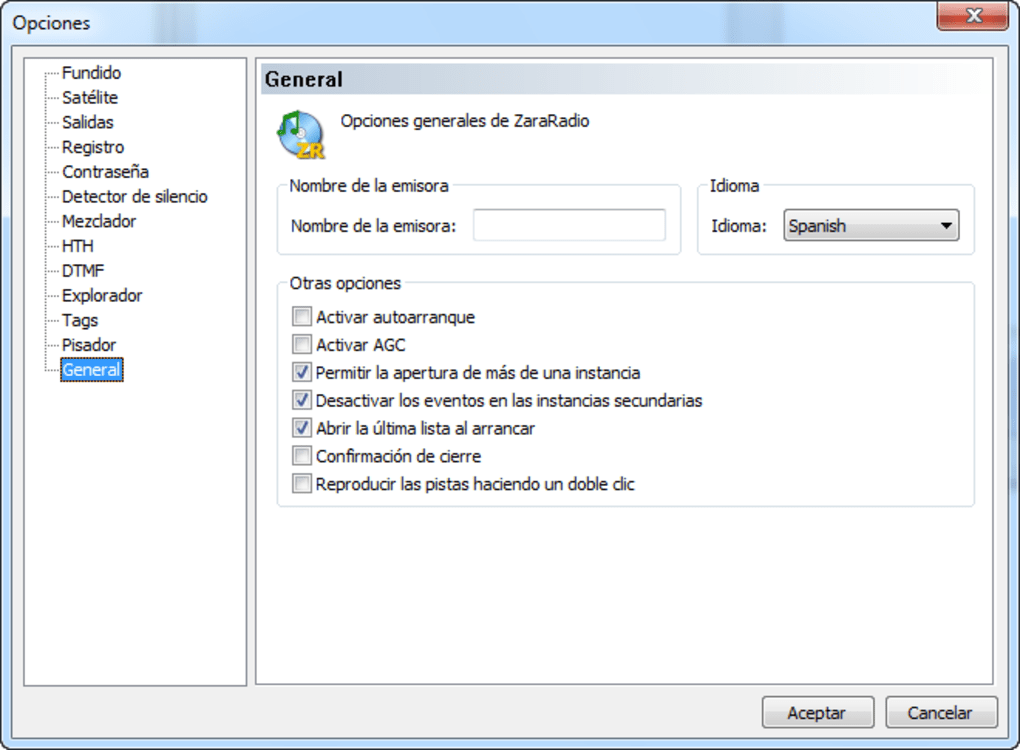


Download ZaraRadio – Free Radio Automation Software for Stations
Overview & What Makes ZaraRadio Stand Out
ZaraRadio, developed by Kero Systems S.L., is a free, Windows‑based radio automation suite designed specifically for broadcast stations that need reliable, hands‑free playlist management, commercial scheduling, and voice‑tracking capabilities. Unlike typical live‑streaming apps, ZaraRadio focuses on the backstage workflow: assembling music blocks, inserting jingles, handling time‑sensitive announcements, and exporting a seamless audio stream that can be fed into any encoder of your choice. The software’s modular architecture lets you pair it with external streaming tools (such as Icecast or SHOUTcast) and audio editors like Audacity for recording and post‑production.
Its intuitive drag‑and‑drop interface lowers the learning curve for small community stations while still offering the depth required by professional broadcasters. By supporting line‑in connections, internet‑based feeds, and a built‑in scheduler that can trigger events based on time, temperature, or humidity, ZaraRadio provides a versatile bridge between traditional FM/AM workflows and modern digital playout environments. Whether you run a campus radio, a community outlet, or a commercial station looking for a cost‑effective automation backbone, ZaraRadio delivers a secure, regularly updated platform that eliminates the need for costly proprietary solutions.
Key Features that Power Modern Radio Automation
- Advanced Playlist Builder: Create unlimited playlists with drag‑and‑drop ordering, auto‑fade, and cross‑fade options.
- Commercial & Jingle Scheduler: Assign rotation rules, daypart targets, and frequency caps to ensure ads and jingles hit the right moments.
- Voice‑Tracking & Overlap Editing: Record voice tracks directly or import from Audacity, then overlay them with music for smooth transitions.
- Event & Automation Engine: Schedule time‑based events, including news flashes, weather alerts, and TTH (temperature, time, humidity) announcements.
- Line‑In & Internet Feed Integration: Connect external hardware or remote streams via IP, allowing seamless relay of sister stations.
- Audio Tweaking Tools: Built‑in equalizer, compressor, and limiter ensure broadcast‑grade loudness.
- Multi‑User Access: Define operator roles and permissions, ideal for stations with several DJs and engineers.
- Export & Logging: Generate detailed logs for compliance and royalty reporting, and export playout files for archiving.
All these features are bundled into a lightweight installer that runs on standard Windows 7/8/10/11 machines. The free license removes any cost barrier while still providing regular updates that keep the software compatible with the latest audio codecs and streaming standards.
Installation, Setup, and Compatibility Across Platforms
Getting ZaraRadio up and running is a straightforward process that can be completed in under ten minutes for most users. Follow these steps:
- Visit the official Kero Systems website and click the “Download ZaraRadio” button. The installer is a
.exefile under 50 MB. - Run the installer with administrative privileges. The wizard will guide you through accepting the EULA, choosing an installation folder, and creating a desktop shortcut.
- After installation, launch ZaraRadio. The first‑time startup wizard will ask you to define your primary audio output device (e.g., sound card, virtual audio cable) and to point the program to your preferred streaming encoder (Icecast, SHOUTcast, or any custom RTMP server).
- Import your music library by dragging folders into the “Media Library” pane. ZaraRadio will automatically read ID3 tags, generate waveform previews, and organize tracks by genre, artist, or custom tags.
- Configure your schedule by creating “Blocks” (morning show, drive‑time, overnight) and assigning playlists, commercials, and voice tracks to each block.
Supported Operating Systems: ZaraRadio runs natively on 64‑bit Windows 7, 8, 10, and 11. While there is no official macOS or Linux version, the software can be operated on those platforms via a Windows virtual machine (e.g., VirtualBox) or through Wine compatibility layers. Mobile support is limited to remote control via third‑party apps that can send MIDI or OSC commands to the Windows host.
For optimal performance, ensure your PC meets the following minimum specifications: a dual‑core CPU (Intel i3 or equivalent), 4 GB RAM, and at least 500 MB of free disk space for logs and temporary files. A stable internet connection is required only for streaming output and remote station linking; the core automation engine works entirely offline.
Pros, Cons, Frequently Asked Questions, and Final Verdict
Pros
- Completely free with no hidden fees or trial limitations.
- Robust scheduling engine that handles complex rotation rules.
- Seamless integration with external streaming encoders and audio editors.
- Intuitive UI that shortens the learning curve for new DJs.
- Regular security updates from Kero Systems.
Cons
- Windows‑only; no native macOS or Linux builds.
- Requires a separate streaming encoder for online broadcast.
- Advanced features (e.g., remote API control) are limited compared to premium solutions.
Frequently Asked Questions
Can ZaraRadio stream directly to the internet?
No. ZaraRadio focuses on automation. You must pair it with a streaming encoder such as Icecast, SHOUTcast, or a professional hardware encoder to broadcast online.
Is there a limit on the number of playlists?
The free version imposes no hard limit. You can create as many playlists and blocks as your storage allows.
Can I import existing schedules from other automation tools?
ZaraRadio supports CSV import for playlists and basic schedule data, making migration from older systems relatively painless.
Does ZaraRadio support voice‑tracking for remote presenters?
Yes. You can record voice tracks locally or upload pre‑recorded files, then schedule them to overlap with music using the built‑in editor.
Is technical support available for the free version?
Kero Systems provides community‑based support through forums and a knowledge base. Direct ticketed support is reserved for commercial licenses.
ZaraRadio delivers a professional‑grade automation platform without the price tag. Its strength lies in flexible scheduling and seamless integration with third‑party streaming tools. While the Windows‑only limitation may deter some, most community stations run on Windows PCs, making ZaraRadio a practical choice. Overall rating: 4 out of 5.
Conclusion & Call to Action
For stations that need a dependable, cost‑free automation core, ZaraRadio hits the sweet spot between simplicity and power. Its feature set—playlist management, commercial rotation, voice‑tracking, and real‑time event handling—covers everything a small‑to‑mid‑size broadcaster requires. The only notable drawbacks are the lack of native macOS/Linux builds and the necessity of a separate streaming encoder for online distribution. If those constraints align with your existing workflow, there’s little reason not to give ZaraRadio a try.
Ready to streamline your broadcast operations? Download ZaraRadio now and start building your first automated schedule today. Enjoy free updates, a supportive community, and the confidence that your on‑air content will run smoothly, 24/7.







